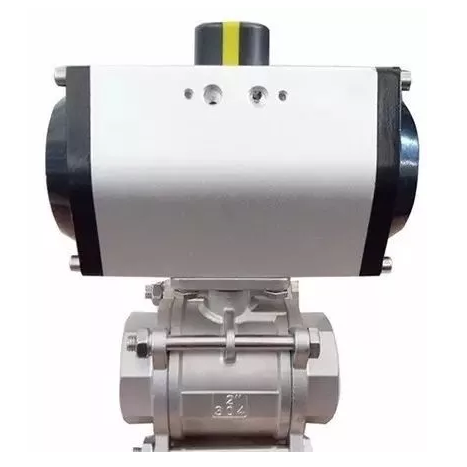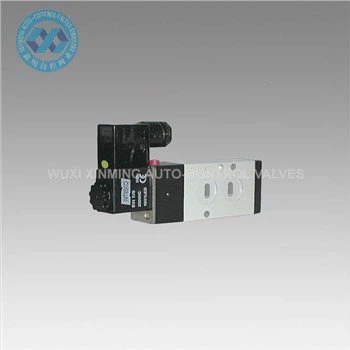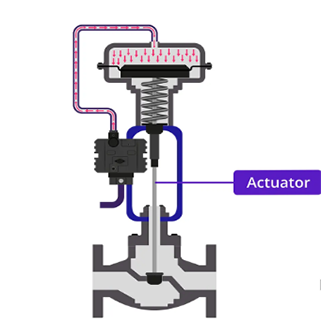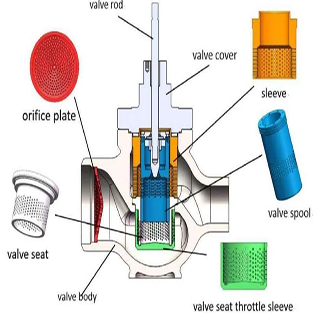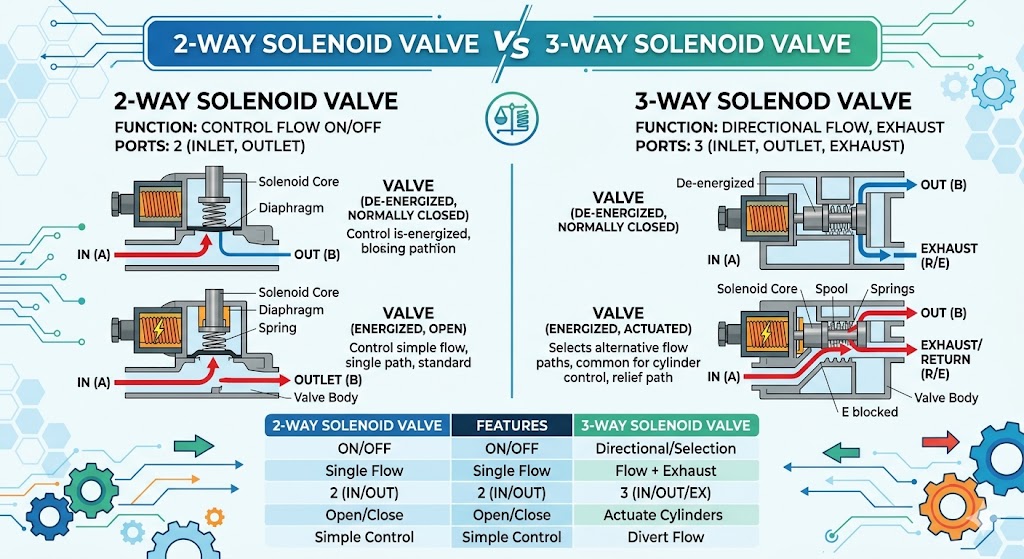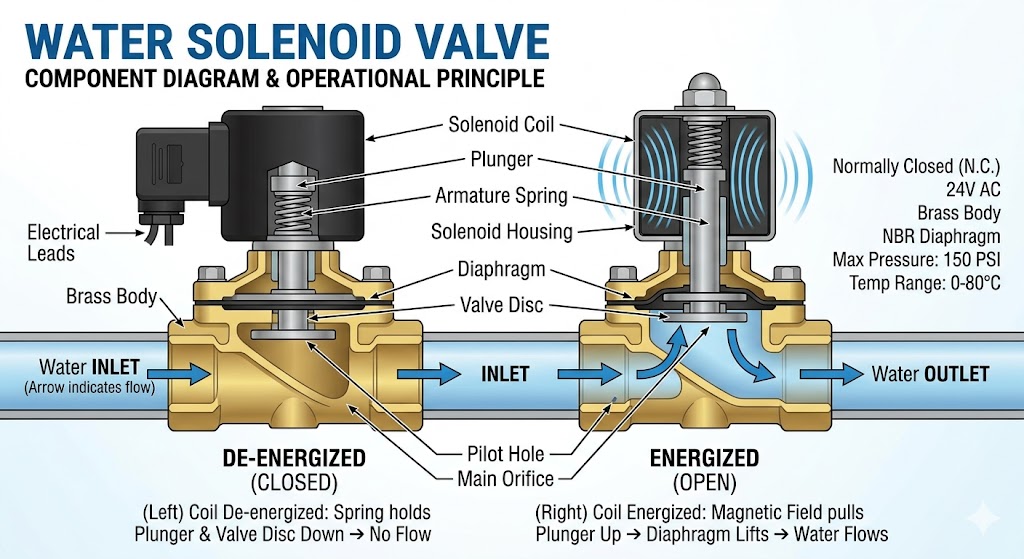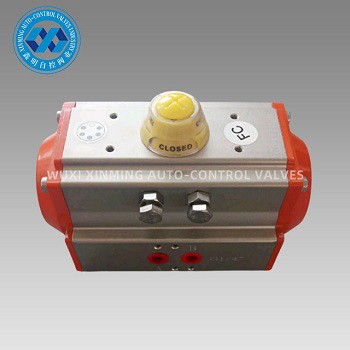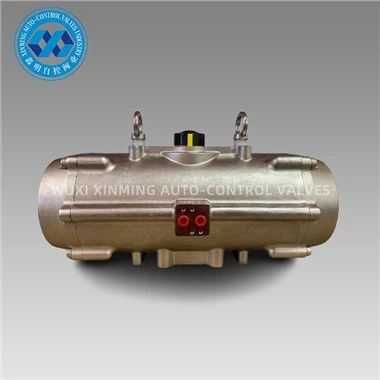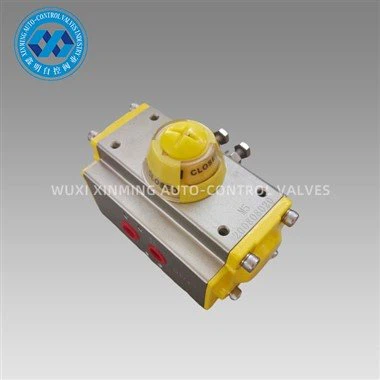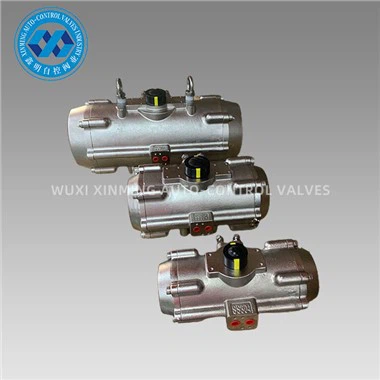
Pneumatic actuators are essential components in industrial automation systems, providing reliable and precise motion control for valves, dampers, and other equipment. However, like any mechanical device, they can experience problems that affect performance and efficiency. This comprehensive guide covers the 5 most common pneumatic actuator problems and provides practical solutions for troubleshooting and fixing these issues.
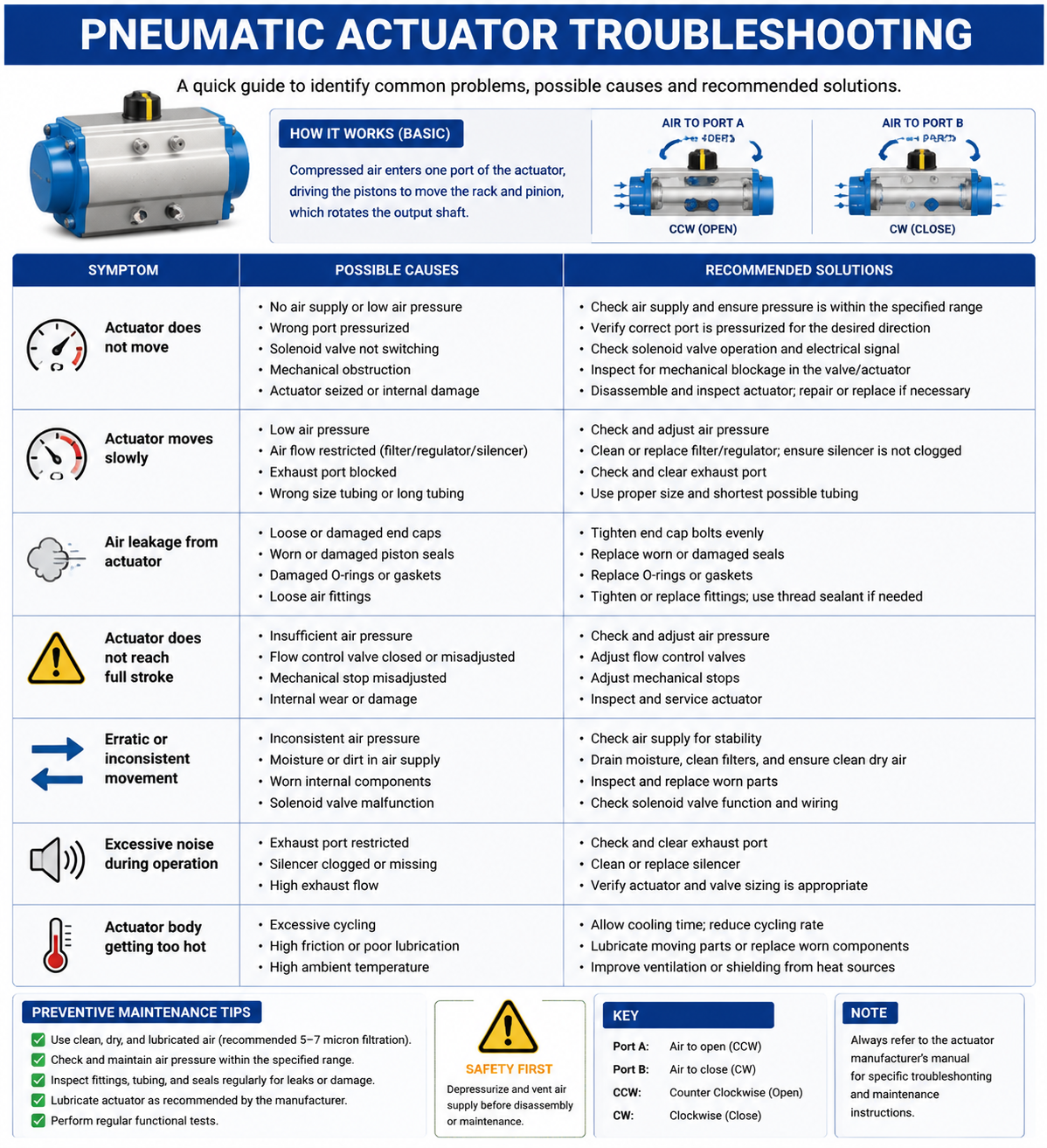
Table of Contents
Air Leaks and Pressure Loss
Air leaks are among the most frequent issues encountered with pneumatic actuators. They can significantly reduce system efficiency, increase energy consumption, and lead to inconsistent operation. Understanding the causes and solutions for air leaks is crucial for maintaining optimal performance.
Common Symptoms:
- Hissing or whistling sounds from the actuator or connections
- Visible air bubbles in soapy water test
- Reduced operating pressure compared to system setpoint
- Increased compressor runtime to maintain pressure
- Higher than normal energy bills
Root Causes:
- Worn or damaged seals and O-rings
- Loose fittings and connections
- Damaged or cracked tubing
- Corroded or pitted valve seats
- Improper installation or overtightening causing seal damage
Step-by-Step Solutions:
- Perform a pressure drop test: Isolate the actuator and monitor pressure over time. A pressure drop indicates a leak.
- Use the soapy water method: Apply a solution of dish soap and water to all connections, seals, and tubing. Bubbles will form at leak points.
- Inspect all seals and O-rings: Replace any that show signs of wear, cracking, or hardening. Always use manufacturer-approved replacements.
- Check and tighten all fittings: Ensure all connections are properly secured but avoid overtightening.
- Replace damaged tubing: Cut away damaged sections and replace with new tubing of the same material and diameter.
- Test for micro-leaks: Use an ultrasonic leak detector for finding smaller leaks that are difficult to detect manually.
Prevention Tip:
Implement a preventive maintenance schedule to inspect seals and connections quarterly. Replace seals annually even if they appear normal, as age and environmental factors can degrade materials.
Slow or Inconsistent Response Time
When a pneumatic actuator responds slowly or inconsistently, it can disrupt production schedules and affect the quality of the processes it controls. This problem can stem from various sources within the pneumatic system.
Common Symptoms:
- Actuator takes longer than specified to complete stroke
- Random variations in cycle time
- Process quality inconsistencies
- Production bottlenecks or decreased throughput
- Feedback from control system indicating timing errors
Root Causes:
- Insufficient air supply pressure or volume
- Restrictive piping or undersized supply lines
- Worn or malfunctioning directional control valves
- Contaminated or dirty pneumatic components
- Temperature extremes affecting air density and viscosity
- Friction from damaged bearings, pistons, or seals
Step-by-Step Solutions:
- Verify supply pressure: Check that the air supply meets the actuator's requirements. Measure at the actuator inlet, not just at the compressor.
- Calculate air consumption: Ensure your compressor can supply the required flow rate (CFM/SCFM) for all connected devices.
- Inspect supply lines: Check for kinks, blockages, or restrictions. Upgrade to larger diameter piping if flow is restricted.
- Test the directional control valve: Check valve response time and ensure it fully actuates. Replace valves that show sluggish operation.
- Drain moisture from the system: Install or service air dryers and drains. Moisture buildup causes corrosion and affects performance.
- Lubricate moving parts: Apply manufacturer-recommended lubricant to bearings and sliding surfaces if compatible.
- Check for internal leakage: Test seals and pistons for internal bypass that reduces effective force.
Key Specifications to Verify:
- Minimum operating pressure: Check actuator nameplate
- Response time specifications: Compare actual vs. rated times
- Air consumption rate: Ensure adequate supply capacity
- Tempering range: Verify operating temperature is within specifications
Insufficient Torque or Output Force
Insufficient torque is a critical issue that can prevent actuators from properly positioning valves or other equipment. This can lead to process failures, safety risks, and equipment damage.
Common Symptoms:
- Actuator cannot fully open or close valves
- Valve remains in partial position
- Process parameters not met (flow, pressure, temperature)
- Actuator stalls under load
- System alarms or shutdowns due to failed positioning
Root Causes:
- Operating pressure below actuator requirements
- Worn seals reducing effective piston area
- Misalignment causing binding and friction
- Spring failure in spring-return actuators
- Incorrect actuator sizing for the application
- Increased back pressure from the process
Step-by-Step Solutions:
- Verify system pressure: Use a calibrated gauge to measure pressure at the actuator. Compare with specifications and system setpoints.
- Calculate required torque: Refer to valve manufacturer torque requirements and compare with actuator output at operating pressure.
- Check for misalignment: Inspect mounting bracket, shaft alignment, and coupling. Realign if necessary.
- Inspect springs (spring-return models): Test spring compression and force. Replace springs that show permanent deformation or fatigue.
- Measure actual output force: Use a force gauge or pressure gauge to verify actuator output matches calculations.
- Check for obstructions: Inspect valve internals for debris, corrosion, or damage preventing proper operation.
- Review sizing calculations: Verify the actuator was properly sized for the valve and operating conditions, including safety factors.
Important Warning:
Never modify or adjust spring settings in an attempt to increase force without consulting the manufacturer. Incorrect spring adjustments can create safety hazards and void warranties.
Sticking, Binding, or Jamming
Actuators that stick, bind, or jam can cause complete system failures and potentially dangerous situations. These issues require immediate attention to prevent further damage and ensure safe operation.
Common Symptoms:
- Actuator movement is not smooth or uniform
- Grinding, scraping, or unusual noises during operation
- Actuator stalls or requires excessive force to move
- Intermittent operation or "sticking" at certain positions
- Visible damage to external components
Root Causes:
- Contamination from dirt, dust, or foreign particles
- Lack of proper lubrication
- Corrosion or oxidation of internal components
- Misalignment from foundation settlement or thermal expansion
- Wear of bearings, bushings, or sliding surfaces
- Thermal expansion causing interference
- Damaged or deformed actuator components
Step-by-Step Solutions:
- Perform visual inspection: Check for obvious signs of contamination, damage, or misalignment.
- Clean the actuator: Remove external debris and, if accessible, internal contaminants. Use appropriate cleaning solvents.
- Inspect bearings and bushings: Check for wear, scoring, or damage. Replace worn components with OEM parts.
- Verify alignment: Check shaft, coupling, and mounting alignment. Use dial indicators for precision measurement.
- Apply proper lubrication: Use manufacturer-specified lubricants. Apply to all bearing surfaces and moving parts.
- Check for corrosion: Inspect for rust or oxidation, especially in humid or corrosive environments. Treat or replace affected parts.
- Thermal expansion consideration: Ensure adequate clearance for thermal expansion in high-temperature applications.
- Replace damaged components: Do not operate with damaged parts. Replace pistons, shafts, or housings as needed.
Prevention Tip:
Install air line filters and lubricators upstream of pneumatic actuators. Keep actuator shafts and mounting surfaces clean and protected from environmental contaminants.
Erratic Movement or Oscillation
Erratic movement and oscillation can cause significant process variability and wear on equipment. This problem often indicates issues with the control system, air supply, or mechanical components.
Common Symptoms:
- Actuator overshoots target position
- Continuous hunting or oscillation around setpoint
- Rapid, uncontrolled movement
- Position indicator fluctuation
- Process parameter instability
Root Causes:
- Oversized actuator for the application
- Improperly tuned positioner or controller
- Worn or sticky positioner components
- Air supply pressure fluctuations
- Sticking or binding in the final control element
- Improper feedback signal from position sensor
- Excessive friction in the system
Step-by-Step Solutions:
- Stabilize air supply: Install pressure regulators and accumulators to dampen pressure fluctuations.
- Check positioner settings: Review and adjust positioner sensitivity, deadband, and response settings.
- Test positioner operation: Manually stroke the actuator to verify smooth operation. Check for sticking or binding in the positioner.
- Verify feedback signal: Check position sensor calibration and signal integrity. Replace faulty sensors.
- Adjust control loop parameters: Re-tune PID parameters if using a controller. Reduce proportional gain or increase derivative action.
- Inspect final control element: Check the valve or damper for binding, corrosion, or damage that may cause erratic movement.
- Verify sizing: Ensure the actuator is not oversized for the valve. An actuator that is too large can cause poor control resolution.
Tuning Parameters to Check:
- Proportional band/gain settings
- Integral (reset) time or action
- Derivative (rate) time or action
- Deadband and sensitivity settings
- Air set point and pressure
Conclusion and Preventive Maintenance Tips
Pneumatic actuators are reliable and efficient components when properly maintained. By understanding these 5 common problems and their solutions, you can minimize downtime and extend the life of your equipment.
Key Takeaways:
1. Regular inspection and preventive maintenance are essential for avoiding unexpected failures.
2. Always use manufacturer-approved replacement parts and follow proper installation procedures.
3. Maintain clean, dry air supply with appropriate filtration and lubrication.
4. Keep detailed maintenance records to identify patterns and predict failures.
5. When in doubt, consult with qualified pneumatic system technicians or the actuator manufacturer.
By implementing these troubleshooting techniques and preventive maintenance practices, you can ensure optimal performance, reduce costly downtime, and extend the service life of your pneumatic actuators.