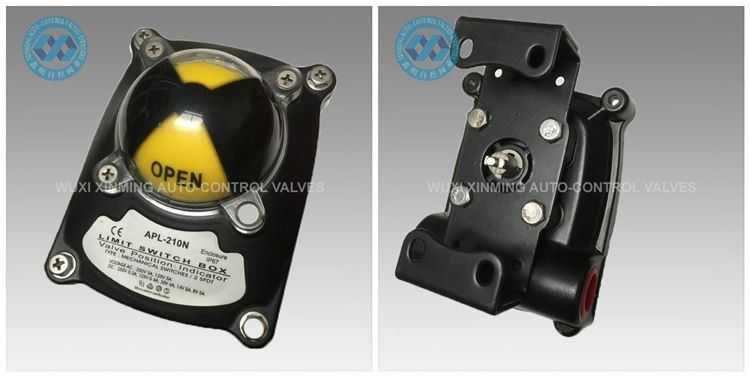
Limit switches are fundamental electromechanical devices used in automation to detect the presence, absence, or position of an object. Proper wiring is critical to ensure system safety, accuracy, and equipment longevity.
Whether you are automating a CNC machine, a conveyor belt, or a 3D printer, this guide will walk you through the terminals, configurations, and step-by-step connection procedures.
Understanding the Terminals
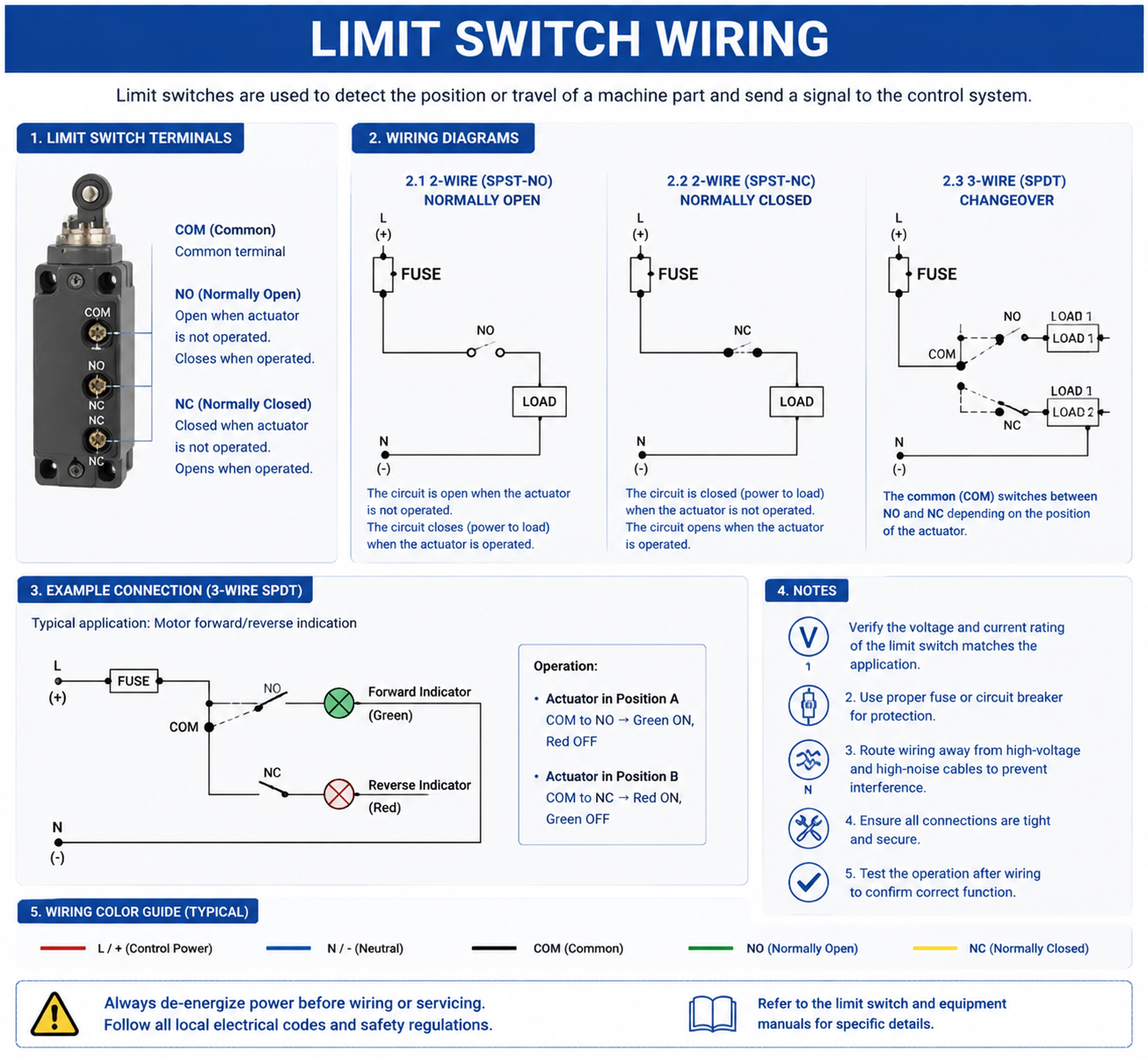
Most industrial and hobbyist limit switches utilize a Single Pole Double Throw (SPDT) configuration. To wire them correctly, you must understand the three primary terminals:
-
COM (Common): The terminal where the input voltage or signal enters the switch.
-
NC (Normally Closed): The circuit is complete when the switch is at rest. When the switch is triggered (pressed), this circuit opens (disconnects).
-
NO (Normally Open): The circuit is disconnected when the switch is at rest. When the switch is triggered, this circuit closes (connects).
Pro Tip: In safety-critical applications (like emergency stops or over-travel limits), it is standard practice to use the NC (Normally Closed) loop. If a wire breaks or gets cut, the system will detect the open circuit and fail safely.
Step-by-Step Wiring Procedure
1. Safety First
Before stripping any wires, ensure all power sources connected to your system are turned off and locked out.
2. Identify Your Configuration
Decide whether you need a Normally Open (NO) or Normally Closed (NC) logic based on your system requirements.
3. Prepare the Wires
Strip approximately 5mm to 8mm of insulation from your conductors. If you are using stranded wire, it is highly recommended to crimp a ferrule onto the end to prevent fraying and short circuits.
4. Connect to the Switch
-
Connect your Power or Signal Source to the COM terminal.
-
Connect your Output/Load wire to either the NC or the NO terminal.
-
Secure the terminal screws firmly, or solder the joints cleanly if using a solder-terminal switch. Use heat-shrink tubing to prevent accidental shorts.
Common Wiring Configurations
Depending on what you are controlling, you will generally wire a limit switch in one of two ways: direct load control or controller signaling.
1. Direct Load Control (e.g., Relays, Motors)
In simple electrical setups, the limit switch directly cuts or provides power to a device, such as a motor or a light bulb.
-
Wiring: Power Source → COM → NO/NC → Motor/Load → Ground/Neutral.
2. Microcontroller / PLC Input (e.g., Arduino, CNC Boards)
In smart automation, the switch sends a low-voltage signal to a brain (PLC or microcontroller), which then decides what to do.
-
Wiring: VCC (or Ground) → COM → NO/NC → PLC Input Pin.
-
Note: You may need a pull-up or pull-down resistor to prevent signal floating (electrical noise). Many modern controllers have these built-in via software.
Comparison Table
| Feature | Direct Load Control | PLC / Microcontroller Signal |
|---|---|---|
| Current/Voltage | High (Matches the load) | Low (Typically 5V, 12V, or 24V DC) |
| Complexity | Low | Medium to High |
| Flexibility | Rigid (Hardwired behavior) | High (Programmable behavior) |
| Best For | Simple safety stops, lights | Robotics, CNCs, automated lines |
Troubleshooting & Best Practices
-
Mechanical Over-travel: Ensure the physical object hitting the switch does not bypass or smash the switch body. Use the actuator arm to absorb the impact.
-
Contact Bounce: Mechanical switches "bounce" electrically for a few milliseconds when they close. If using a microcontroller, you must handle this via hardware debouncing (a capacitor) or software debouncing (code delays).
-
Environment Ratings: If your environment is dusty or wet, ensure you use an IP65 or IP67-rated sealed limit switch.
If you want to learn more about low-priced products, please visit the following website: www.xm-valveactuator.com